A Practical Guide to Using a FREE KDP Interior Daily Planner Effectively
The promise of a FREE KDP Interior Daily Planner is incredibly appealing to anyone looking to publish their own planner on Amazon. It removes a significant upfront cost and technical hurdle. However, simply having a free template isn't the same as having a successful product. Many creators jump in with enthusiasm but overlook critical details that separate a thriving KDP listing from a neglected one. Let's walk through some common oversights and how to navigate them with the FREE KDP Interior Daily Planner you've found.
The Hidden Complexity of "Free" and "Ready-to-Use"
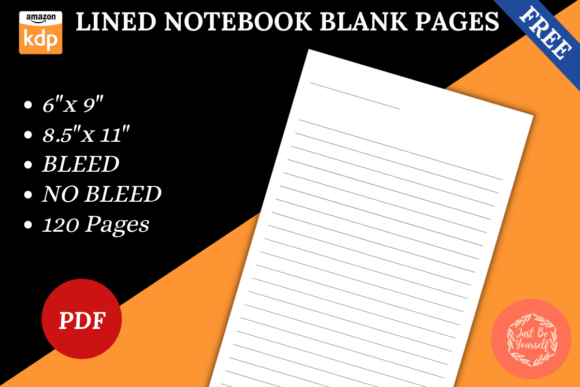
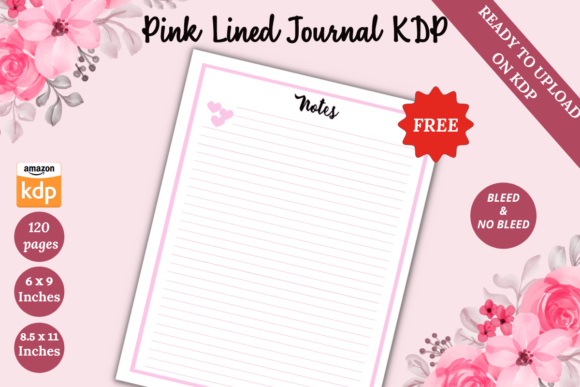
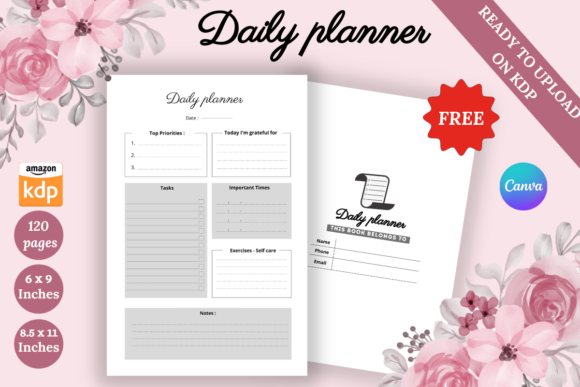
When you see a FREE KDP Interior Daily Planner advertised with features like a Canva link for customization and a KDP-tested PDF, it’s easy to assume the work is done. A major misunderstanding is treating the template as a final product rather than a foundational tool. The template provides the structure—120 pages, two size options (8.5" x 11" and 6" x 9"), no bleed—but your input determines its marketability. For example, the "Unique Design" mentioned is a starting point. In a crowded marketplace, uniqueness must be amplified. A better approach is to use the Canva link not just to change colors, but to thoughtfully modify layouts, add relevant inspirational quotes for your target audience, or integrate niche-specific tracking sections that address a particular need for professionals or hobbyists.
Mistake: Ignoring the Market Fit of Your Size Choice
The template offers two popular sizes, but choosing one arbitrarily can affect usability and sales. The 8.5" x 11" size is standard but can feel bulky for daily carry, often appealing more to those who desk-plan or educators who might use it alongside other materials. The 6" x 9" is more portable, potentially better for entrepreneurs or freelancers who are mobile. A common mistake is not aligning the size with the use-case you're marketing. Check existing successful planners in your niche: do they lean toward portability or ample writing space? Your decision here directly influences customer satisfaction.
Overlooking the "Print-Ready" Details
The product states it's a high-quality print-ready PDF with no bleed. This is crucial, but a frequent error is not verifying this claim within your own KDP upload process. Before publishing, always use KDP's previewer thoroughly. Check for any margin inconsistencies, especially since the design uses a Canva link. Canva exports are generally reliable, but font embedding or image resolution can sometimes shift. A practical step is to download the provided PNG PDF file and visually inspect every page, ensuring no elements are cut too close to the edge, even with no bleed required. This preventative check avoids costly revisions after the book is live.
The Canva Customization Trap
Access to a Canva link is a powerful feature, but it can lead to two opposite mistakes: under-customization or over-customization. Under-customization results in a planner that looks too generic, failing to stand out. Over-customization, often done by beginners adding too many decorative elements, can compromise the clean functionality a daily planner needs. The corrective advice is to customize with intent. For instance, if your audience is marketers, you might add a section for campaign tracking. For bloggers, a space for editorial calendar notes. Keep the core layout intact—its tested functionality—and enhance only where it adds value for your specific buyer.
The Importance of the Intro Page and User Experience
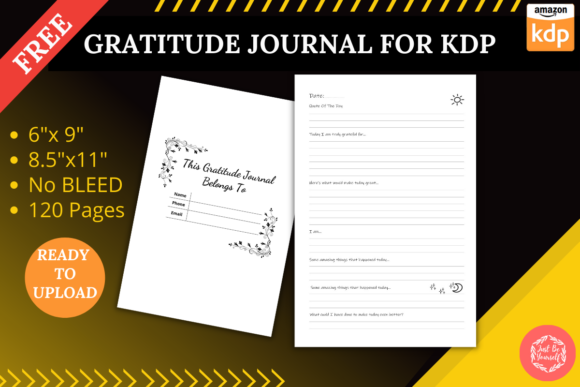
It's noted that an intro page is included. This small detail is frequently overlooked in its purpose. A well-crafted introduction page is your first direct communication with the buyer. A mistake is leaving it as a default placeholder. Use this page to briefly explain the planner's layout, how to use key sections, and even to express your brand's voice. This turns a functional item into a more engaging product. For entrepreneurs and creators, this page can set the tone for productivity and clarity, increasing the perceived value far beyond a simple free template.
Another subtle point is the total page count: 120 pages. While this is a solid number, consider how it flows. Does the sequence of pages—weekly spreads, monthly calendars, note sections—make logical sense for daily use? Review the template's flow before publishing. Sometimes, rearranging a few pages within Canva to better match a natural planning rhythm can significantly improve the user's experience and efficiency.
Evaluating "KDP Tested No Error"
This assurance is valuable, but it's not a universal guarantee. "No error" typically refers to technical upload errors like margin issues. It does not cover content errors, design flaws, or market misalignment. Your responsibility is to test beyond the technical. Create a sample print using KDP's proofing service or a local printer. Physically write in it. Does the spacing feel right? Are the lines too close? This hands-on test, especially for a daily planner meant for physical interaction, is a step many creators skip, leading to products that look good on screen but frustrate in hand.
Realistic Examples and Better Approaches
Imagine a freelancer downloads this FREE KDP Interior Daily Planner. The poor approach: they quickly add their logo to the cover in Canva, change the theme color, and upload it as "My Daily Planner." It likely disappears in the marketplace. The better approach: they identify that freelancers struggle with tracking billable hours versus administrative tasks. Using the Canva link, they modify a daily page to include two distinct columns for "Client Work" and "Business Operations." They write an intro page explaining this feature. They choose the 6" x 9" size for portability between home office and client meetings. They market it specifically to freelance designers and consultants. This transforms the free interior into a targeted, problem-solving tool.
Final Checks Before You Commit
Before finalizing your planner using this FREE KDP Interior Daily Planner, make these constructive checks. First, confirm the customization you've made still aligns with KDP's paperback specifications—even with no bleed, ensure all text is within safe margins. Second, compare your final PDF page order with a leading competitor's planner. Does your user journey feel logical? Third, write a clear, benefit-focused description for your KDP listing that highlights the specific modifications you made, not just the template features. This communicates added value. Lastly, consider your audience's age and profession: the design tone for hobbyists might be more playful, while for professionals, more minimalist and efficient.
Using a FREE KDP Interior Daily Planner can be a fantastic start, but its success hinges on your thoughtful application. By avoiding the common pitfalls of treating it as a finished product, neglecting market-fit for size, misusing customization tools, and skipping hands-on testing, you elevate a simple template into a professional, sale-worthy item. The goal is to provide a tool that genuinely helps your target audience organize their day with greater efficiency and satisfaction. Focus on that utility, and the free interior becomes the foundation of a thriving KDP business.